Inactivating Prescriptions
Prescriptions can be inactivated in the Medication Record tab of the medication review. This automatically inactivates the prescription in Nexxsys.
To inactivate a prescription in the Medication Record tab:
- In the medication review, select the Medication Record tab.
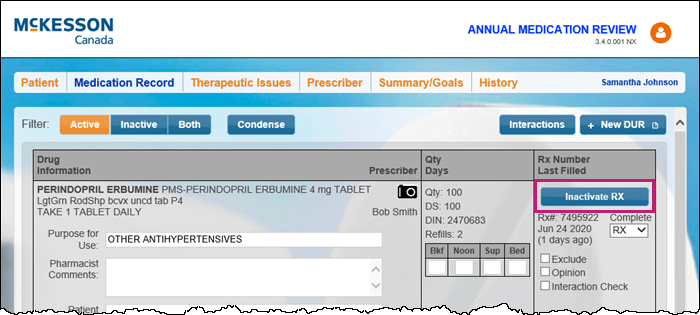
- Select Inactivate Rx for the prescription to needs to be inactivated.
The Inactivate Rx window appears. - Enter the following information:
- Select the Inactivate Prescription radio button.
- Prescription Note - enter a note, if required.
- Actioned By - select who inactivated the prescription.
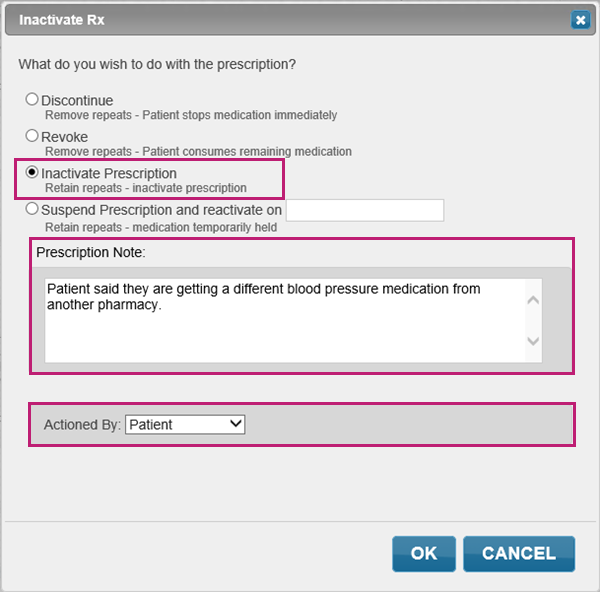
- Select OK. The prescription is inactivated in both the medication review and in Nexxsys.
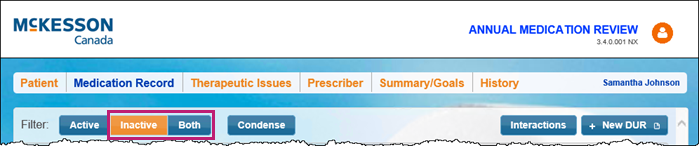
Inactivated prescriptions can be viewed in Patient Centre by selecting either the Inactive or Both filter. If filtering by the Both filter, inactivated prescriptions display in red.